How to Set a Custom Invite LinkFrequently Asked QuestionsA: Discord Support is not able to confirm if a Custom Invite Link is available or not.
Want your Discord invite link to look clean and custom? In this quick tutorial, Ill show you exactly how to create a personalized Discord invite URL for you...
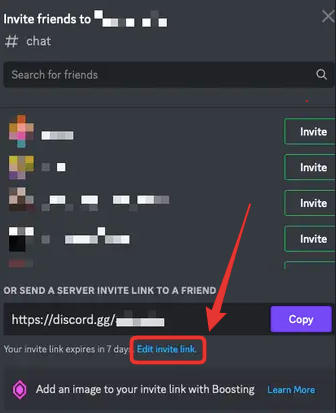
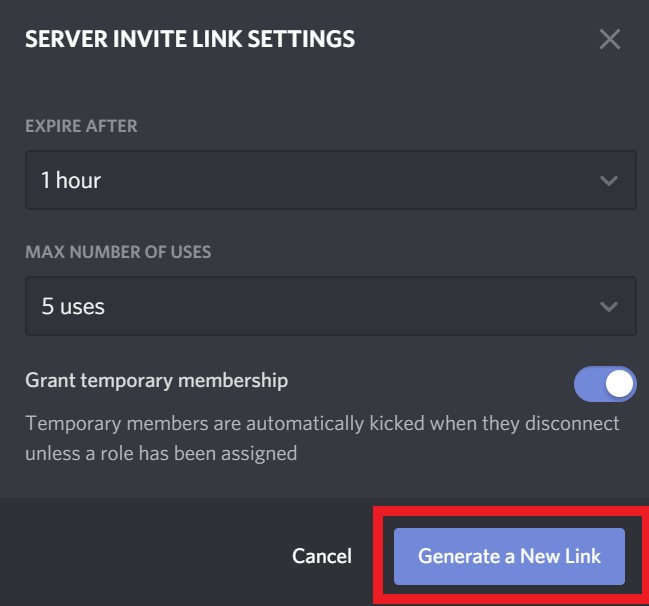
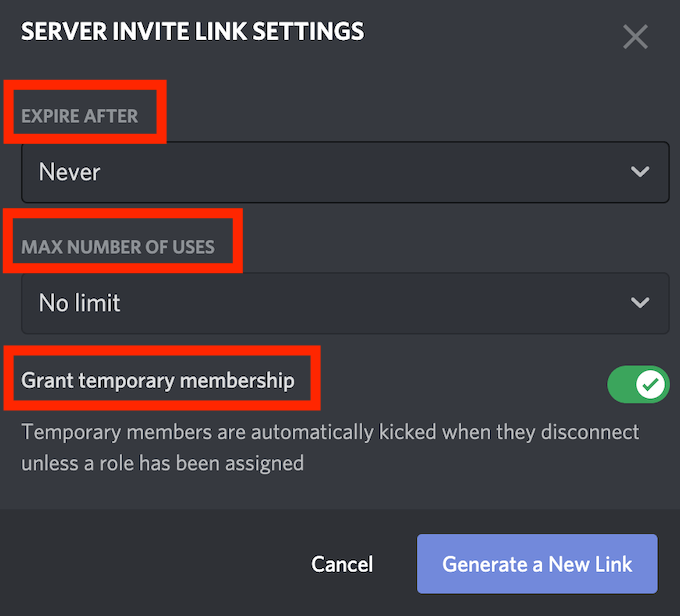
You can edit invite link settings to create a custom invite link depending on your needs.How To Find Your Discord Post Link. To share a specific post with another user, the recipient of the link will need to be a member of the server or DM that the post was sent in.

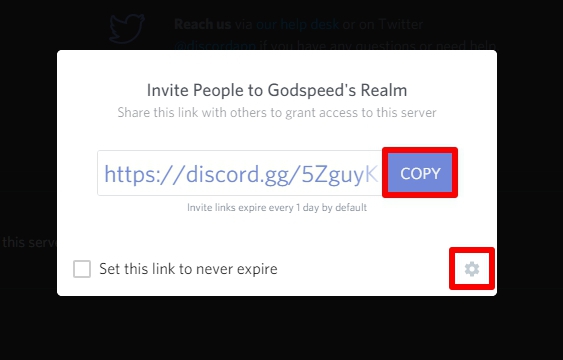
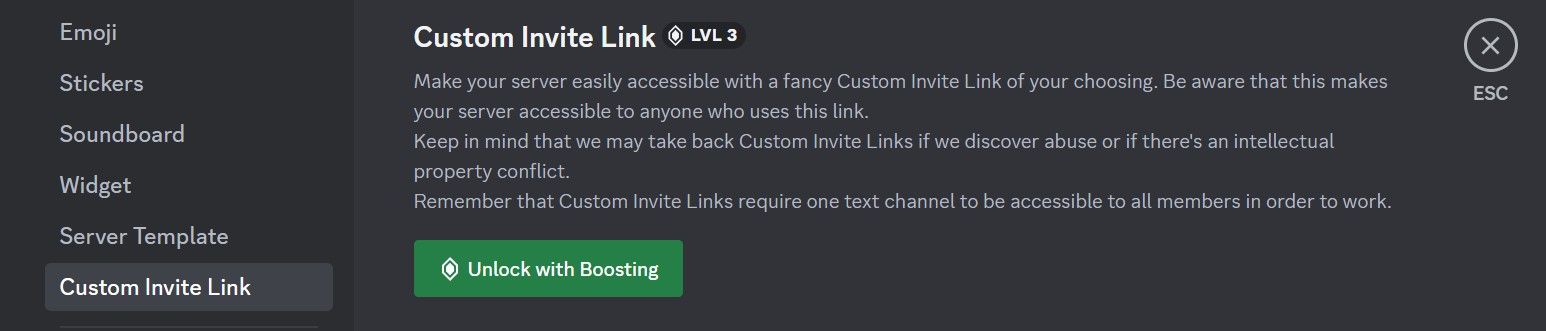
An invite link is a link that you create and use to invite someone to a specific server.Server Setting > Custom Invite Link. Be careful, if the server loses the boost level, they also lose the invitation link.
Creating a custom Discord invite link involves a few straightforward steps. Heres how you can do it: Open Discord: Launch the Discord app on your computer or mobile device. Select Your Server: Navigate to the server where you want to create the invite link.

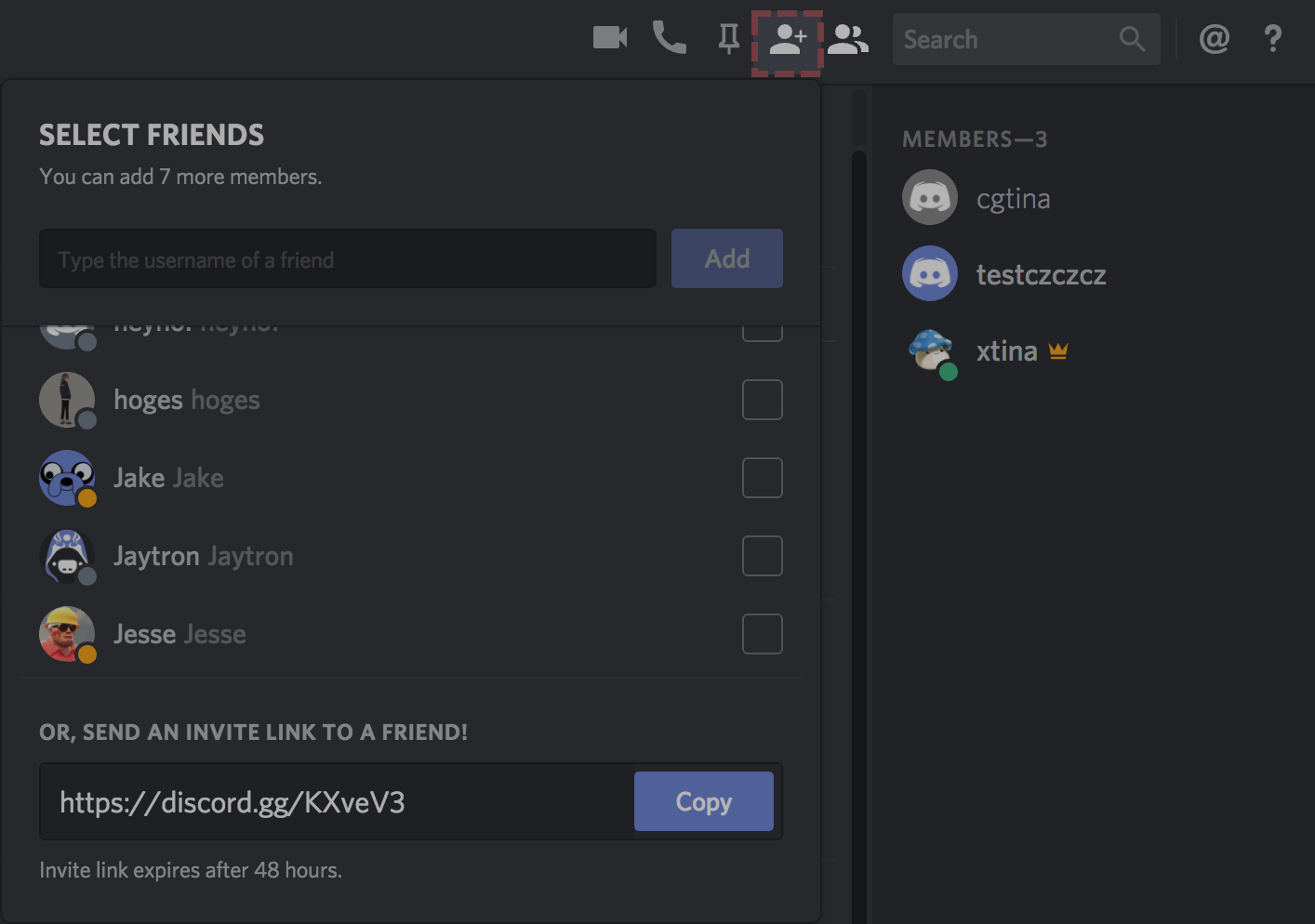
How to invite people to a Discord server on a computer. Each Discord channel in your server has an individual Instant Invite link that can be sent to individuals. This will allow the recipient to interact with the linked channel. 1. Open the Discord desktop app on your computer.