Learn how to troubleshoot network problems with this step-by-step guide. Identify, isolate, and resolve issues across layers 1-7 using proven methods.
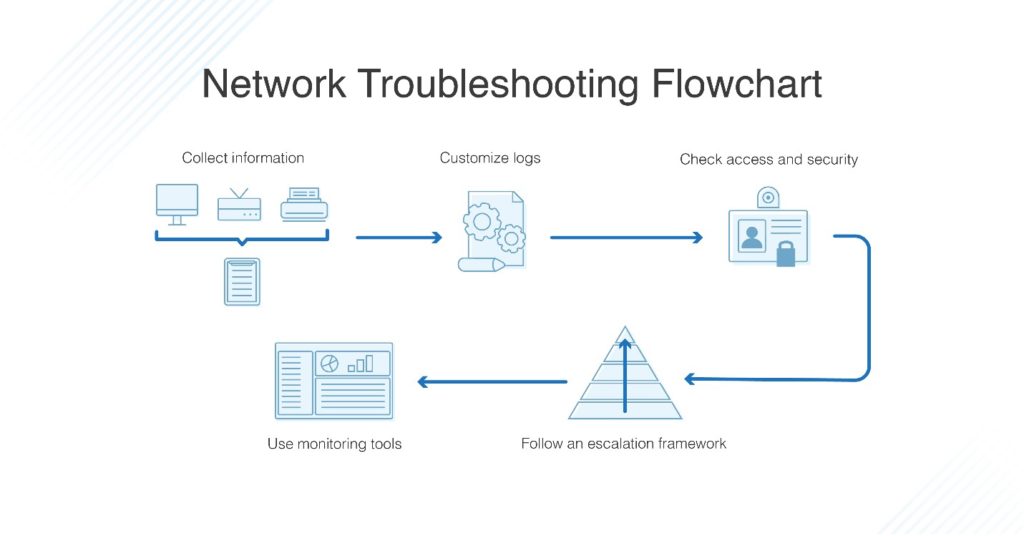
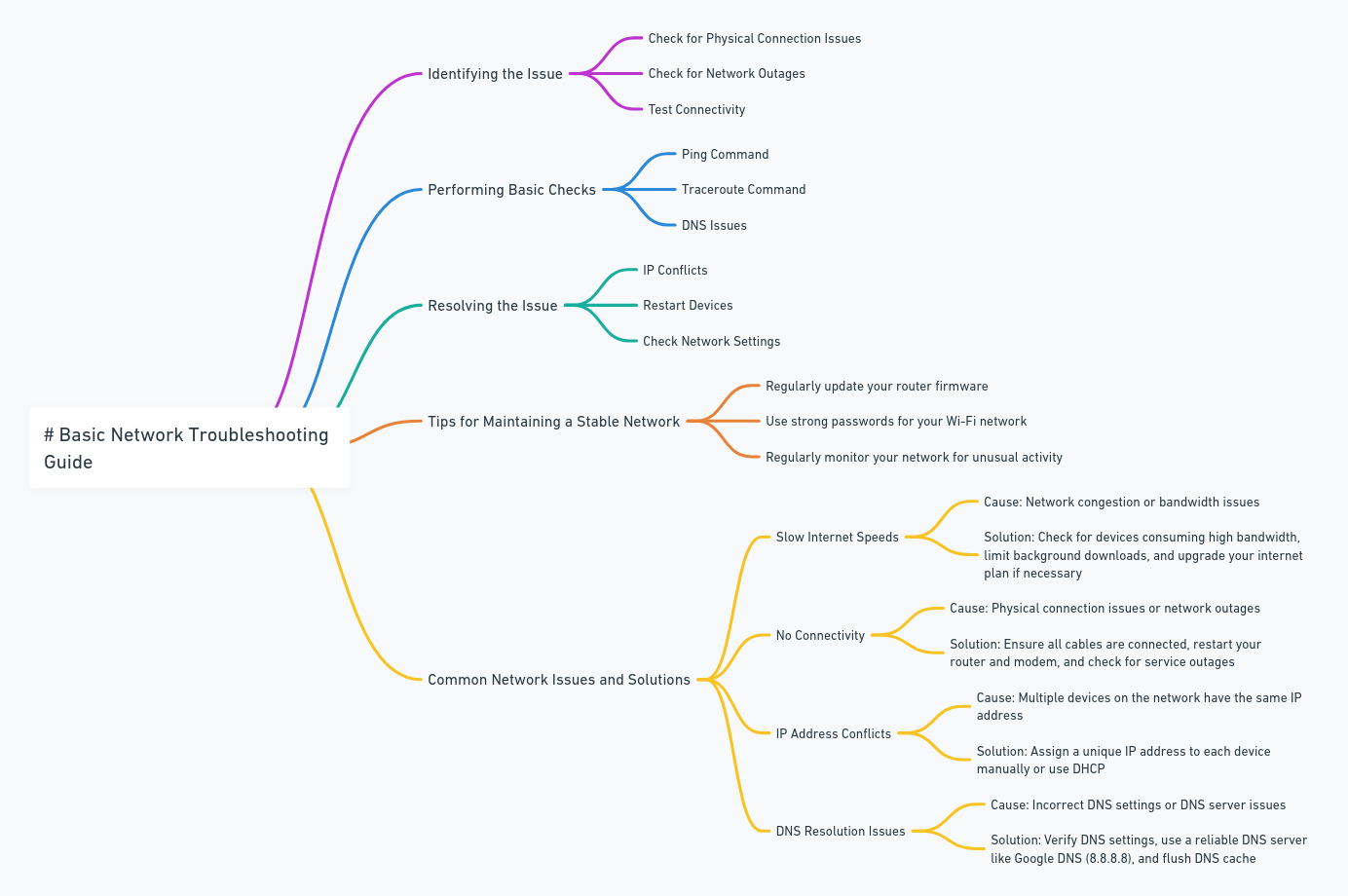
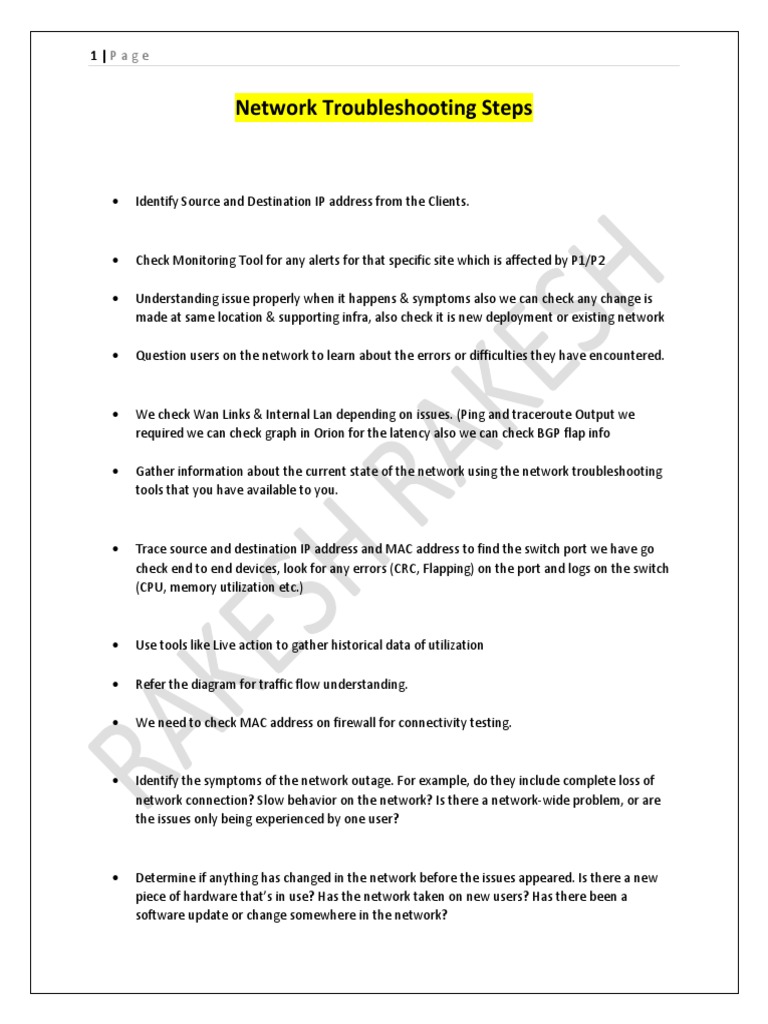
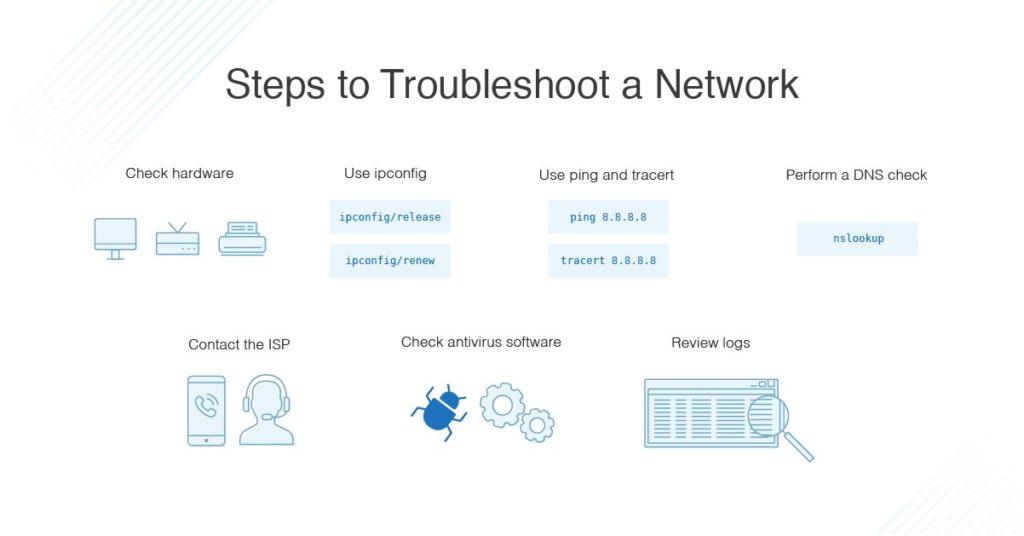
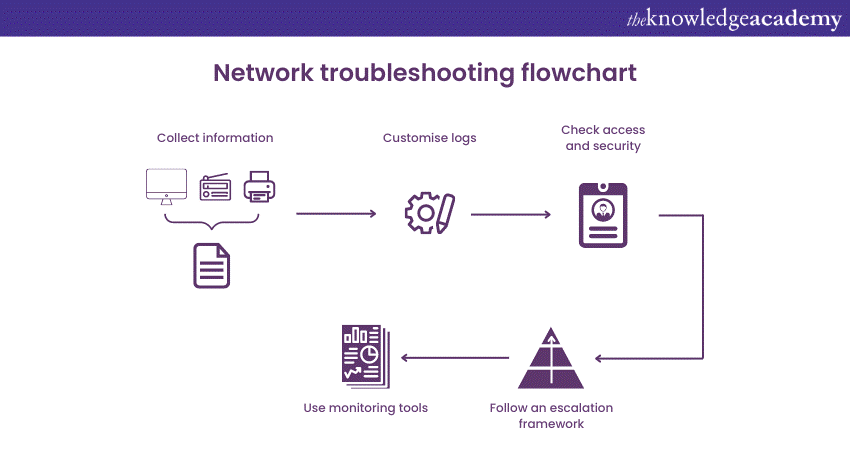
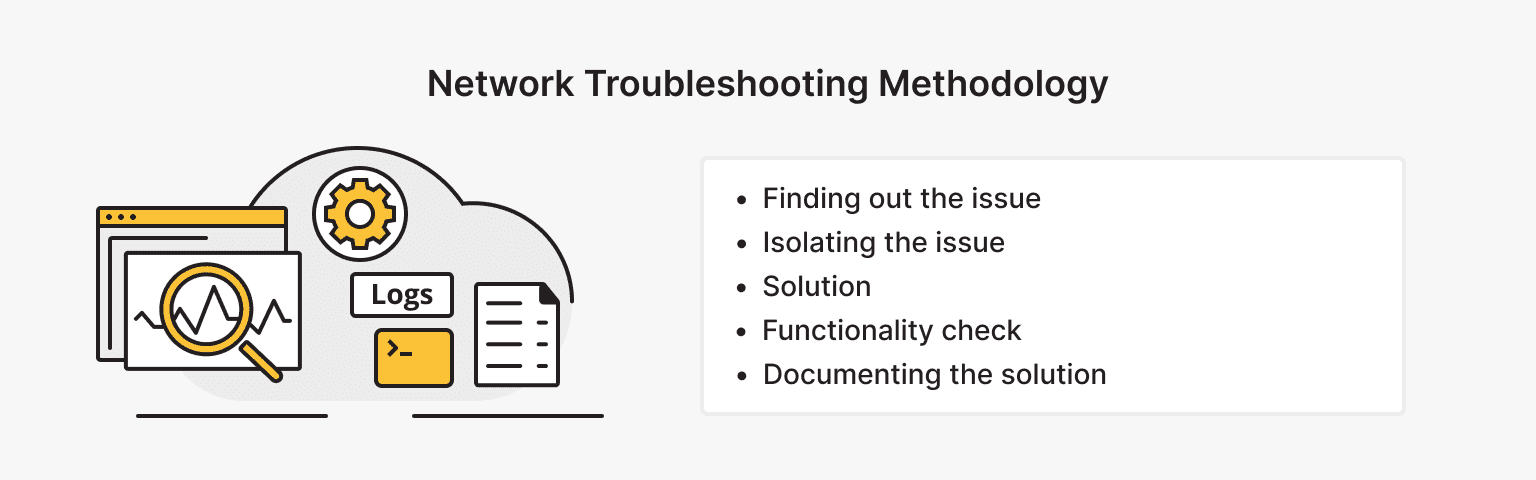
When youre beginning the troubleshooting process, check all your hardware to make sure its connected properly, turned on, and working. If a cord has come loose or somebody has switched off an important router, this could be the problem behind your networking issues. Theres no point in going through the process of troubleshooting network issues i... See full list on dnsstuff.com Open the command prompt and type ipconfig (without the quotes) into the terminal. The Default Gateway (listed last) is your routers IP. Your computers IP address is the number next to IP Address. If your computers IP address starts with 169, the computer is not receiving a valid IP address. If it starts with anything other than 169, your com... See full list on dnsstuff.com If your router is working fine, and you have an IP address starting with something other than 169, the problems most likely located between your router and the internet. At this point, its time to use the ping tool. Try sending a ping to a well-known, large server, such as Google, to see if it can connect with your router. You can ping Google DNS... See full list on dnsstuff.com Use the command nslookup to determine whether theres a problem with the server youre trying to connect to. If you perform a DNS check on, for example, google.com and receive results such as Timed Out, Server Failure, Refused, No Response from Server, or Network Is Unreachable, it may indicate the problem originates in the DNS server f... See full list on dnsstuff.com If all of the above turn up no problems, try contacting your internet service provider to see if theyre having issues. You can also look up outage maps and related information on a smartphone to see if others in your area are having the same problem. See full list on dnsstuff.com Next, make sure your virus and malware tools are running correctly, and they havent flagged anything that could be affecting part of your network and stopping it from functioning. See full list on dnsstuff.com Review all your database logs to make sure the databases are functioning as expected. If your network is working but your database is full or malfunctioning, it could be causing problems that flow on and affect your network performance. See full list on dnsstuff.com 7. Keep it simple However, this troubleshooting methodology is just a guide. Each network environment is unique, and as you gain experience in that environment, youll more easily be able to predict the likely causes of issues and apply the correct troubleshooting techniques. Learn about network troubleshooting, including common network problems, essential tools, and best practices. Network troubleshooting basics give you a repeatable way to diagnose connectivity problems without guesswork. This beginner-friendly guide walks through practical troubleshooting steps for home, lab, and small-business networksplus a quick checklist and a command cheat-sheet. What is the Network Troubleshooting | Step-by-Step Guide to Fix Connectivity Issues Like a Pro Learn everything about network troubleshooting including common problems, practical steps, real-world examples, and tools like ping, tracert, Wireshark, and more. Perfect for IT professionals and beginners. How do I troubleshoot a network? Troubleshooting a network involves following several straightforward steps. These steps should serve as a checklist when there are suspected network problems. Before attempting to fix anything, identify the problem as best as possible. Define what isn't working and whether one or multiple computers are affected. What are network troubleshooting basics? Network troubleshooting basics give you a repeatable way to diagnose connectivity problems without guesswork. This beginner-friendly guide walks through practical troubleshooting steps for home, lab, and small-business networksplus a quick checklist and a command cheat-sheet. What are the best practices when troubleshooting a network? Below is a list of helpful best practices to implement when troubleshooting a network. Write down the problem, tests you performed, and changes when you were troubleshooting a network. Documentation helps recall helpful steps if a similar problem happens again. Do you need a network troubleshooting process? Even the most advanced networks break. When they do, you need more than intuitionyou need a structured troubleshooting process. Whether youre diagnosing a sluggish SaaS app, a failed connection between cloud services, or an unreachable internal server, network troubleshooting is a core skill every IT and DevOps professional must master. Network Troubleshooting is a way to maintain your computer network, ensuring optimal performance, and addressing issues that may disrupt connectivity. when any problems arise, network administrators and IT professionals use tools such as Ping, Traceroute, and PathPing to identify and solve a problem.