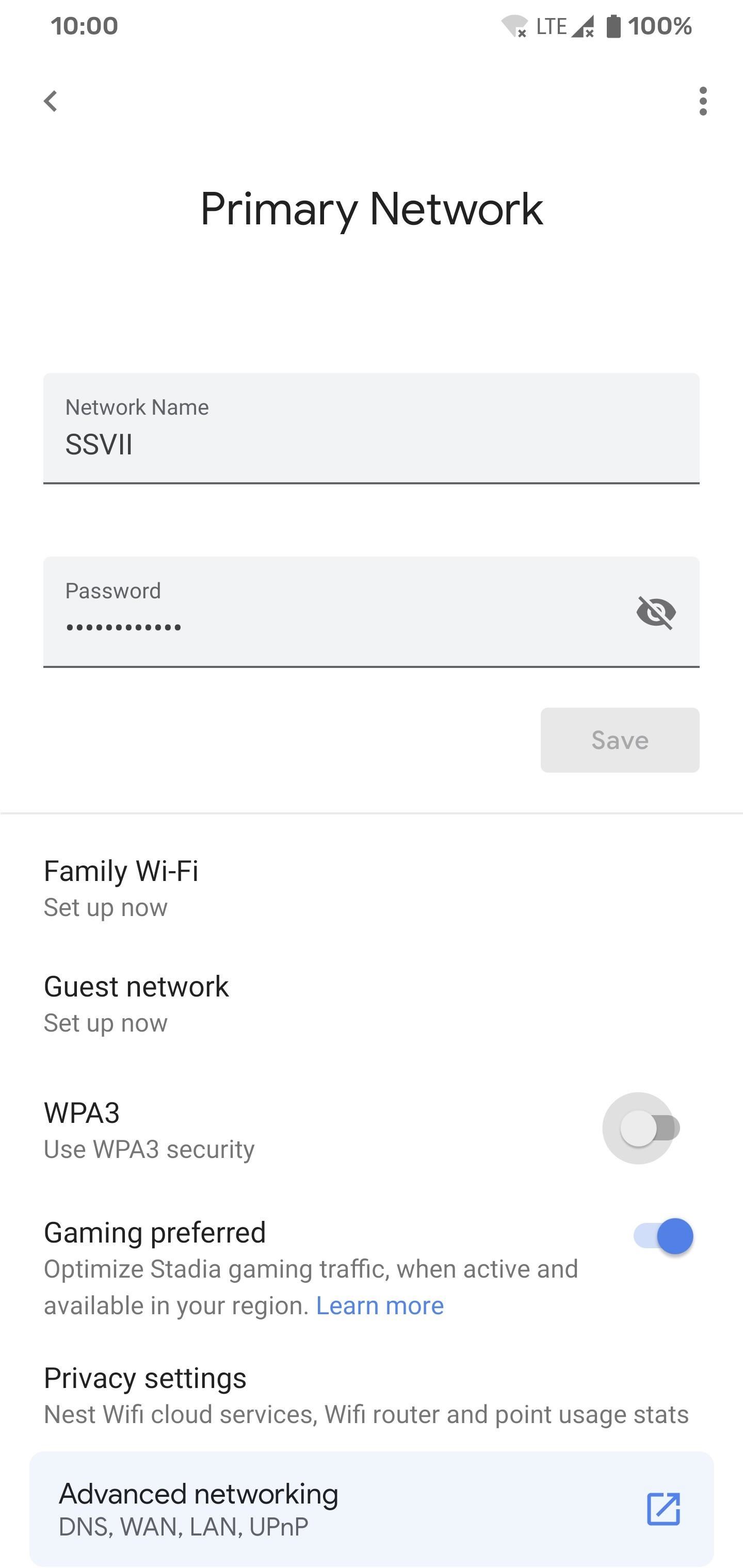
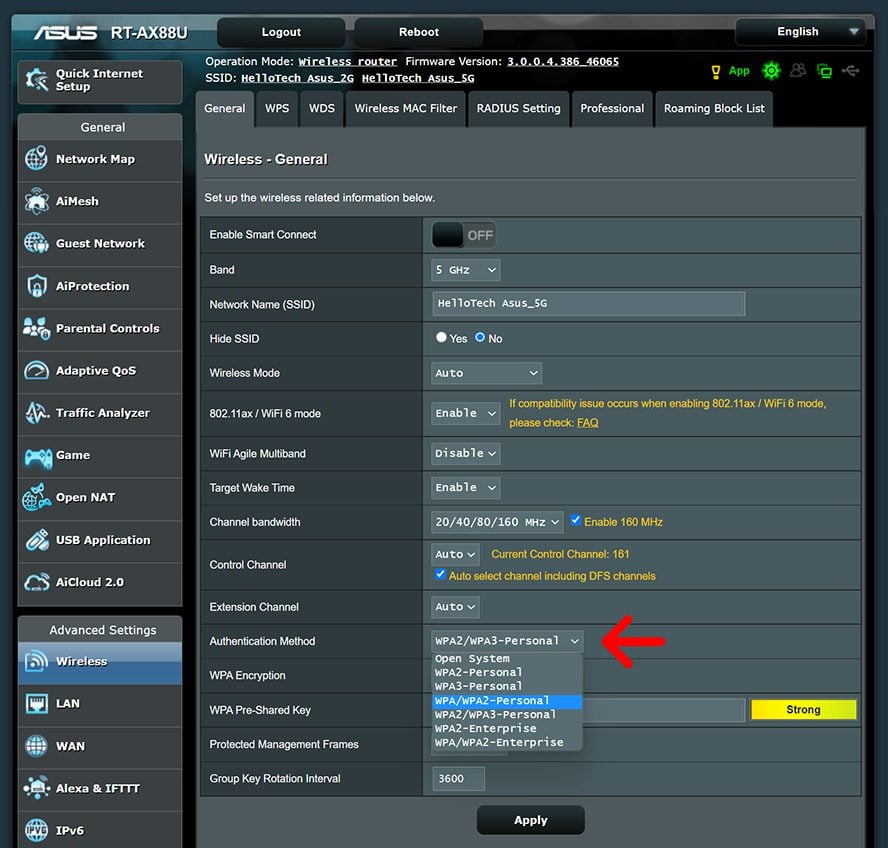
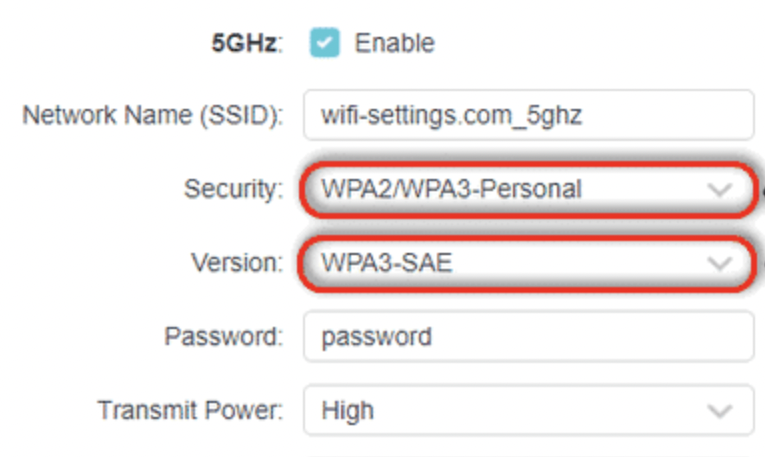
To help secure your data, adopt a strong, unique password for your Wi-Fi router and enable WPA3 encryption if possible.
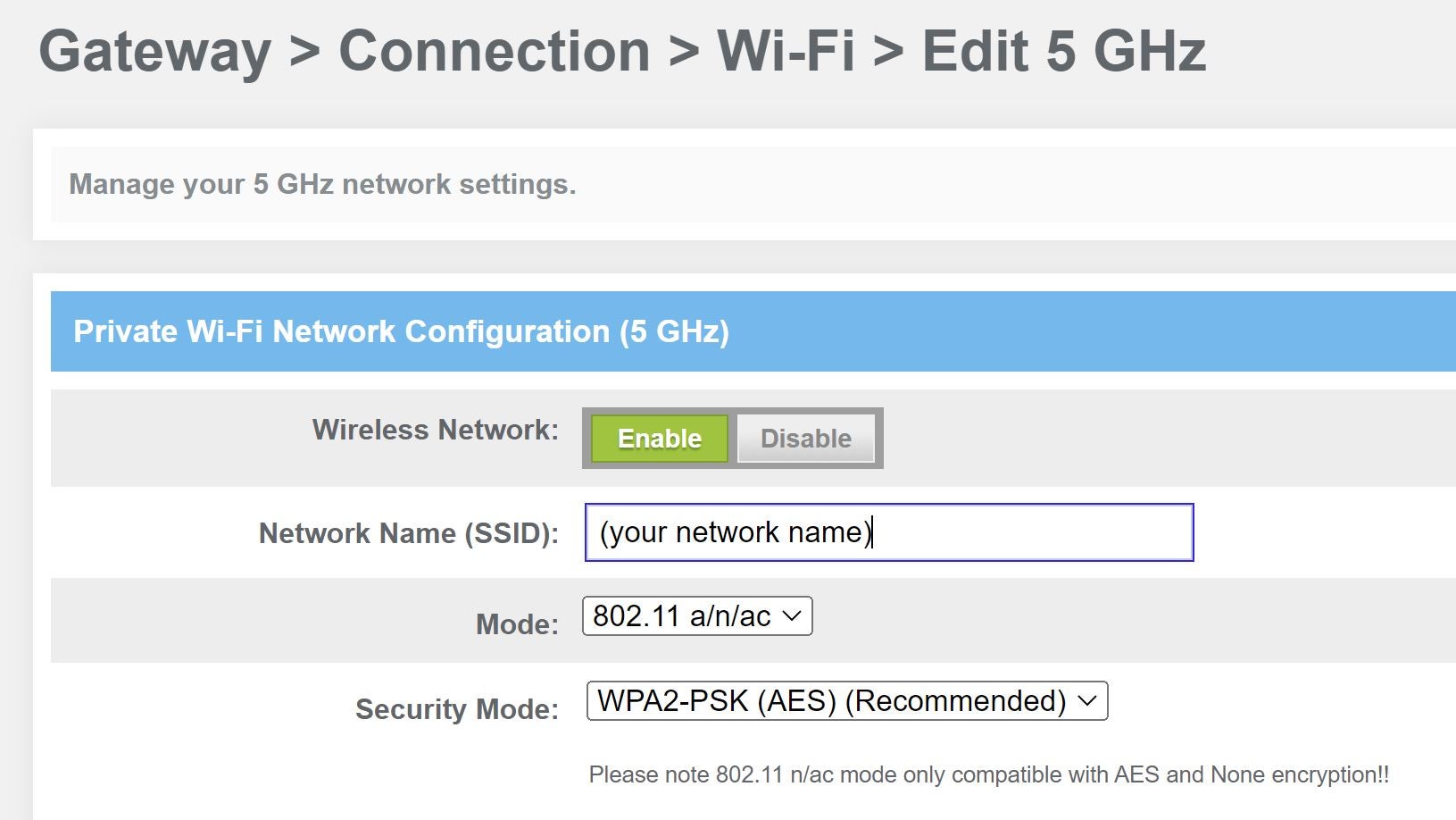
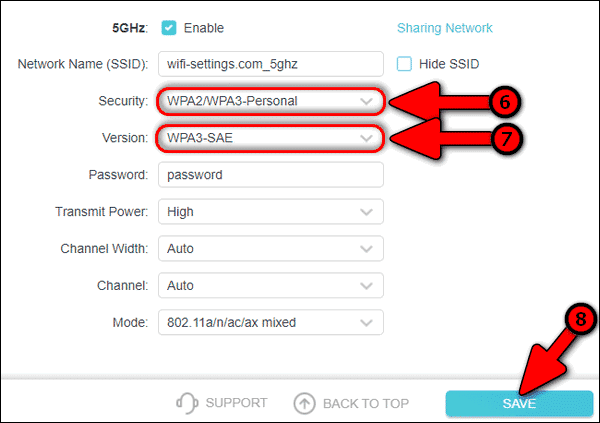
Choose WPA3-PSK for Wireless security and AES for encryption, and then follow the instructions in the Admin panel to reboot the router so the changes ...
You can set up separate home networks, guest networks, and IoT networks for total peace of mind with opportunistic wireless encryption for the next ...
... encryption for Personal Mode: WPA3 ... While many newer network devices are WPA3-compatible, older hardware may require updates or replacements.

Designed as an upgrade to its predecessor, WPA2, WPA3 provides an essential framework for encrypting data in transit, whether youre sending emails ...
... Setting: All these types of encryption (WEP, WPA, WPA2, WPA3 and WPA Enterprise) apply only between a wireless device (computer, phone, tablet, IoT) ...
It is a function of encrypting the connection between each device and the router or access point.WPA3 can assign different encryption keys to ...

... WPA3: The Next Step in WiFi ... Unfortunately, existing hardware in current Wi-Fi routers may not be compatible with new WPA3 firmware updates.
I believe that friends who have set up a wireless router must be very familiar with the above two steps. However, since the WPA security protocol ...